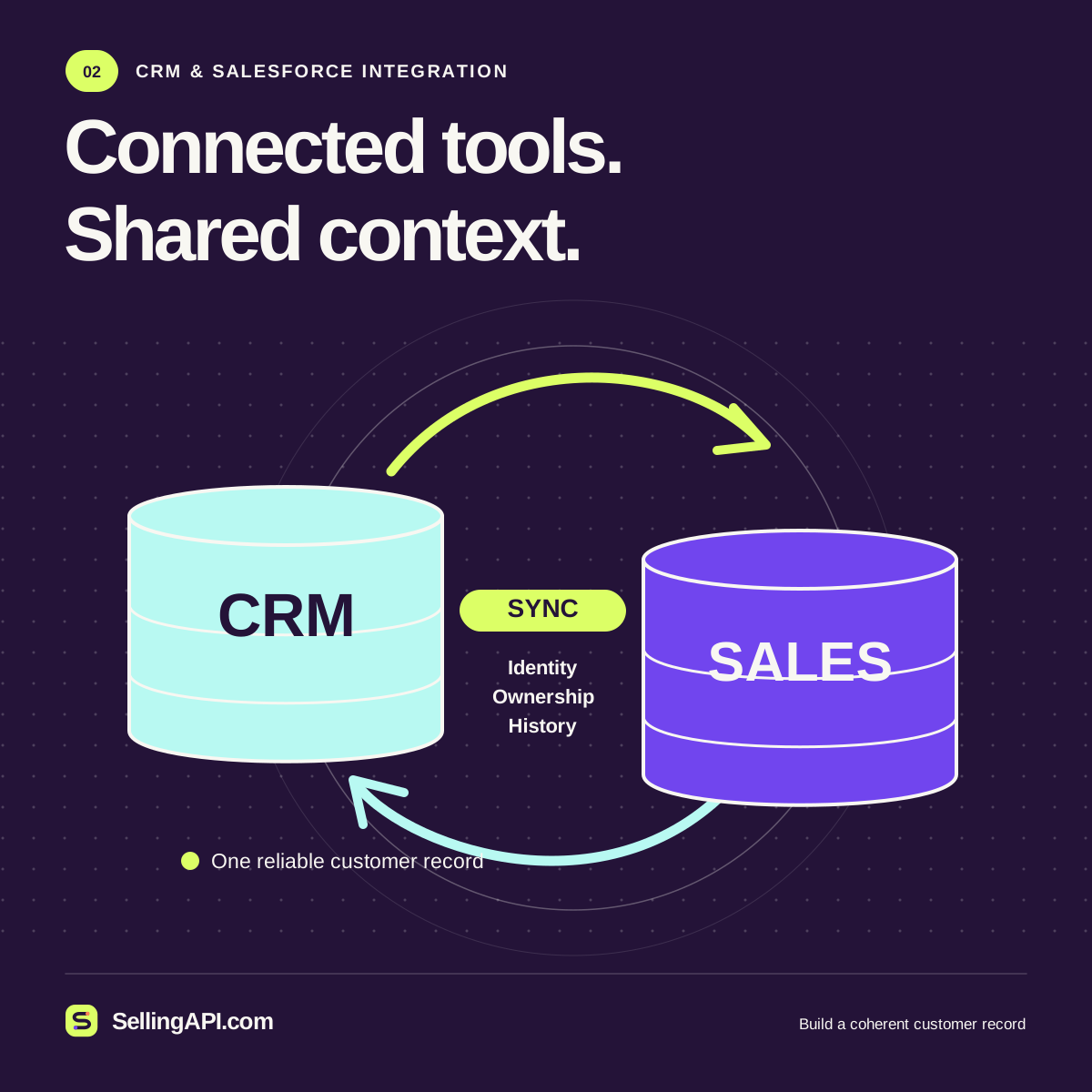
A CRM integration should preserve the meaning of a customer relationship as information crosses system boundaries. Moving a name and email address is straightforward. Deciding whether a request belongs to an existing contact, whether a representative's edit should win, and how to recover a partially completed synchronization requires more thought.
Salesforce API integration is therefore a data and operations project as much as a coding task. This guide describes design choices for an independent implementation. SellingAPI.com provides educational material and local demonstrations; it does not establish a connection to a Salesforce organization.
Understand the records before mapping fields
Salesforce's Sales Cloud configuration introduction explains leads, accounts, contacts and opportunities. These objects represent different parts of the sales process. An integration should preserve those distinctions instead of storing every person and every potential deal in whichever object is easiest to create.
Ask the CRM owner when a lead becomes qualified, how accounts are identified, and which conditions justify an opportunity. Existing customers may follow a different workflow from new inquiries. Document these decisions in business language and attach them to the integration specification. They will matter when a technically valid record appears in the wrong place.
Create a field mapping register
For each field, record the source, destination, data type, allowed values, transformation and owner. Include how to treat blanks. An omitted phone number should not silently erase a carefully maintained CRM value unless that behavior is explicitly intended. Check the organization's required fields, validation rules and customizations rather than assuming a generic sample payload will work.
Picklist values deserve special attention. A website label such as “Talk to sales” might map to a CRM category rather than a literal string. Dates require an agreed timezone convention. Currency fields require their currency context. Keep transformations in one maintained place so different import jobs do not interpret the same input differently.
Choose a controlled access model
Salesforce's guidance on integration users and OAuth client credentials recommends dedicated integration identities and access limited to the required data and operations. Work with an administrator to select the supported authorization approach for your environment and review the current app configuration requirements.
A connector that updates lead routing does not automatically need broad administrative permissions. Keep credentials in the server environment or an appropriate secret store. Define who can rotate them and how an expired or revoked authorization will be reported. Test permission failures deliberately; they should create a visible operational issue rather than a quiet gap in customer records.
Match the API to the workload
A small interactive update and a large historical migration have different needs. The Composite REST resource can combine related subrequests and use one response as input to another. Review its documented limits and transaction behavior before treating a collection of calls as one business operation.
For larger asynchronous jobs, inspect the Bulk API 2.0 documentation. A submitted job still needs status monitoring and result handling. Your design must collect failed records, explain why they failed, and provide a safe retry path. Choose based on volume, latency and dependency requirements, rather than using the same endpoint for every task.
Use stable identifiers for synchronization
Maintain a durable relationship between your source identifier and the Salesforce record identifier. Salesforce supports upserting records through an external ID field: an operation can update a match or create a record when no match exists, subject to the documented behavior. Select the identifier deliberately and configure the field appropriately.
An external ID solves a matching problem, not every duplicate problem. Two source systems can still represent the same person with different identifiers. A repeated business request can still create duplicate activities if each activity receives a new key. Define deduplication separately for people, organizations, inquiries and tasks, and preserve a review path for ambiguous matches.
Resolve conflicts before they happen
Bidirectional synchronization needs rules for competing edits. Suppose a representative changes a company's preferred name while an older import file still contains the original value. Blindly accepting the last received update makes the outcome depend on network timing rather than business ownership.
One practical policy is field ownership: the CRM owns account names and relationship stages; the intake service owns the original inquiry text; the communication platform owns subscription status. Another is a review queue for sensitive conflicts. Whatever the policy, record why a value changed. Avoid an update loop in which each system repeatedly republishes the other's write as a new local edit.
Plan reconciliation alongside real-time sync
Design a scheduled comparison that identifies source records without destination records, mismatched statuses and tasks left in transitional states. Reconciliation should inspect a defined scope and produce a reviewable report. It should not automatically overwrite every difference, because some differences are legitimate.
For an illustrative inquiry import, track the source ID, intended action, attempt time, destination ID and result. Retry temporary failures with a bounded policy. Route invalid field values or rejected business rules to an operator who can correct the input. A recovery mechanism is useful only when it distinguishes a recoverable delay from a record that needs a decision.
Plan a cutover when replacing an existing connector. Record the final processed source position, decide which system will accept new changes during the transition, and reconcile the boundary between old and new processing. Run comparisons before enabling writes from the replacement. Keep the previous configuration available until the first live records have been reviewed. Without a defined boundary, two individually correct connectors can both process the same inquiry or each assume the other has handled it.
Test the business scenarios
Use a suitable nonproduction environment and representative fictional records. Cover new and existing customers, blank optional fields, changed ownership, invalid categories, duplicate events, unavailable services and interrupted jobs. Confirm the same inquiry cannot create repeated follow-up tasks after a replay.
Review the resulting records with someone who uses the CRM daily. Check that a person can understand the history, identify the owner and see the next action. Technical tests should also cover authorization and API error handling, but the user's view reveals whether the mapping actually supports the sales process.
Treat the integration as a maintained product
Keep a short operating guide covering owners, field rules, credentials, monitoring, recovery and change approval. Review dependencies when CRM customizations or API versions change. A new required field can affect a connector even when its code has not changed.
Start with one clear synchronization direction and expand when the business need is proven. A strong Salesforce integration makes the relationship history more trustworthy and the next action more visible. That outcome depends on careful ownership and recovery decisions as much as successful API responses.